Main Interface
Main Areas
Section titled “Main Areas”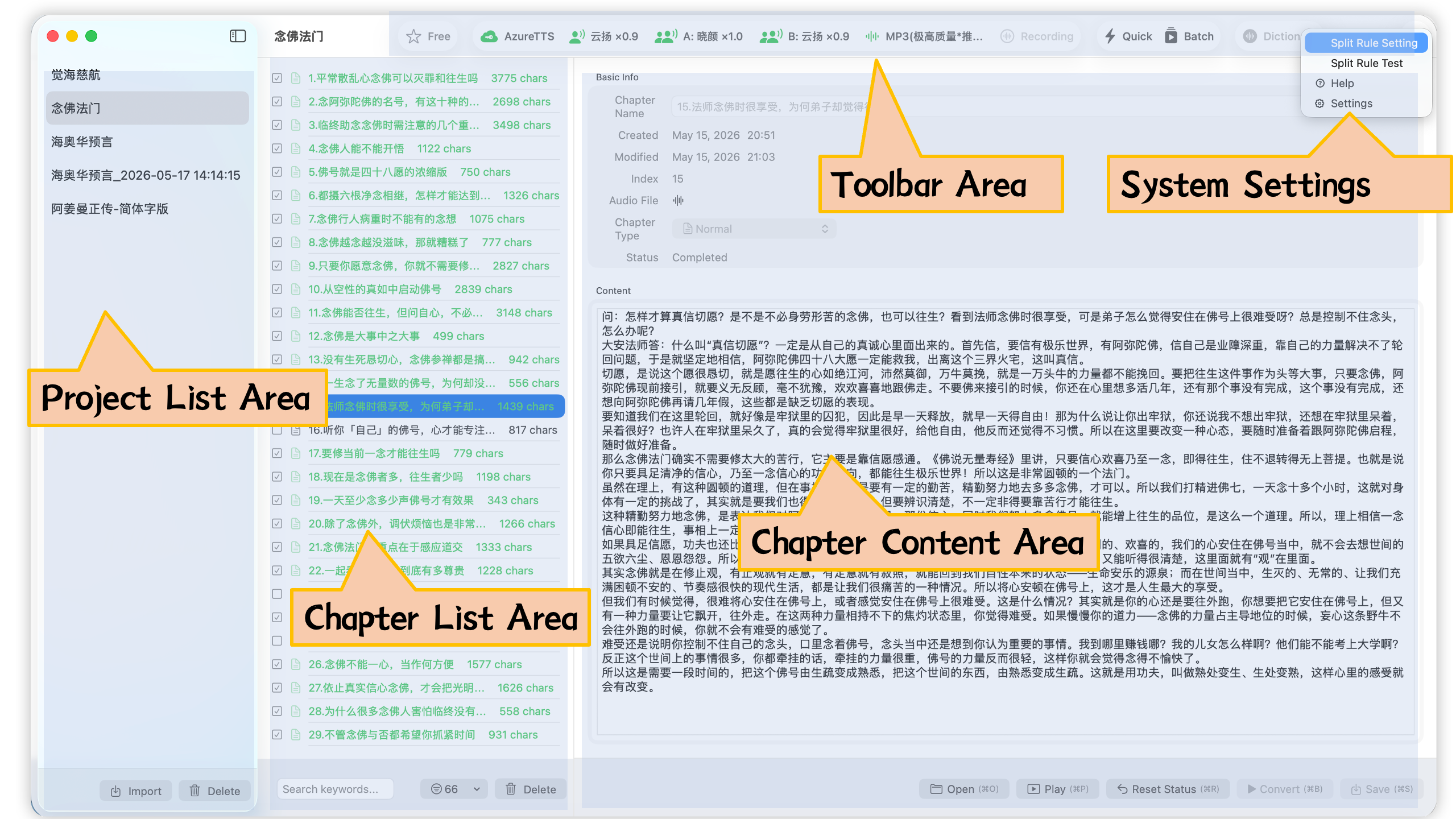
Figure 1: Main Interface
As shown, the leftmost area is the project list panel, the middle is the chapter list panel, and the right is the chapter content panel. The toolbar is located at the top, with the system settings button at the far right.
Toolbar
Section titled “Toolbar”
Toolbar button functions from left to right:
- User product tier button: Free or Pro edition
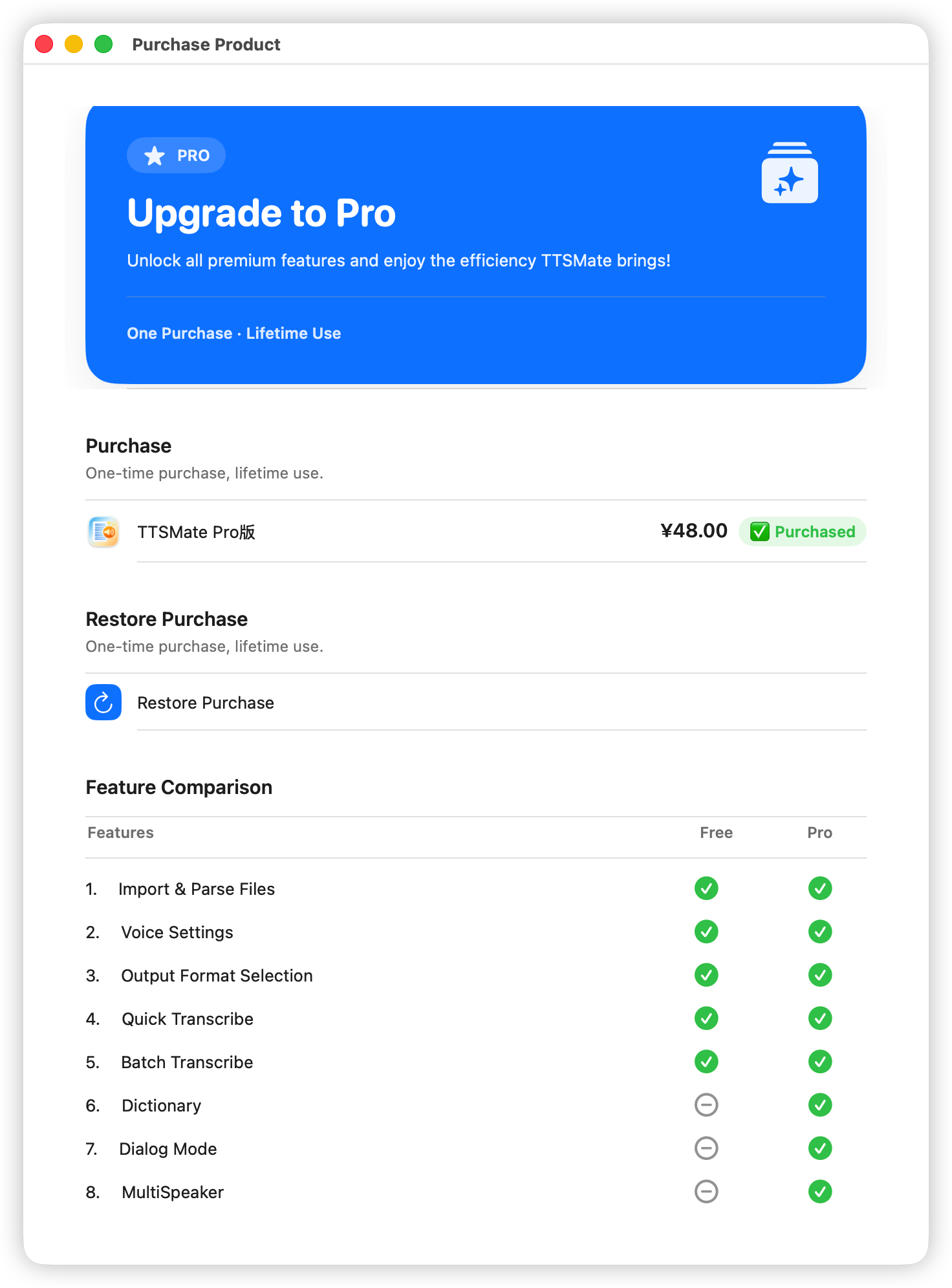
Notes:
- All paid and premium features in TTSMate are unlocked exclusively through Apple’s In-App Purchase. Feature unlock status is based entirely on App Store purchase credentials and does not rely on any external mechanisms or third-party cloud service availability.
- Purchasing TTSMate Pro is not related to an Azure key. Purchasing the Pro feature does not mean you automatically get an Azure TTS key.
Purchasing TTSMate Pro means you can use advanced features such as the Pronunciation Dictionary and Dialogue Mode for batch voice conversion. An Azure TTS key must be obtained separately by registering with the Azure platform according to their requirements. This is separate from the app’s Pro features.
- Please ensure you understand the distinction between TTSMate Pro features and the Azure TTS key.