BaiChan Assistant
App 预览
App Preview
Key Features
多种忏法
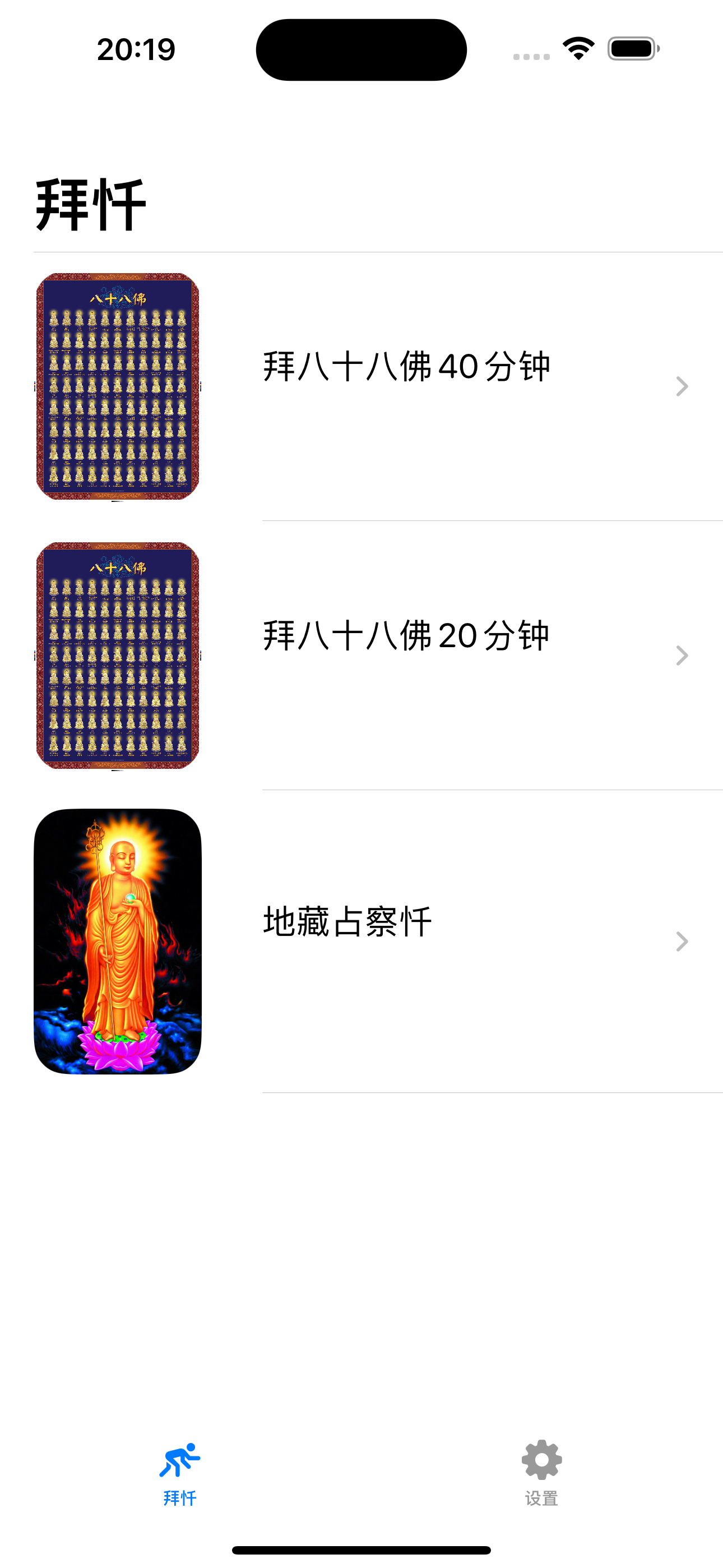
提供拜八十八佛,地藏忏三种忏法
Multiple Repentance Methods
Provide three repentance methods: 88 Buddhas Repentance and Ksitigarbha Repentance
拜忏音频播放
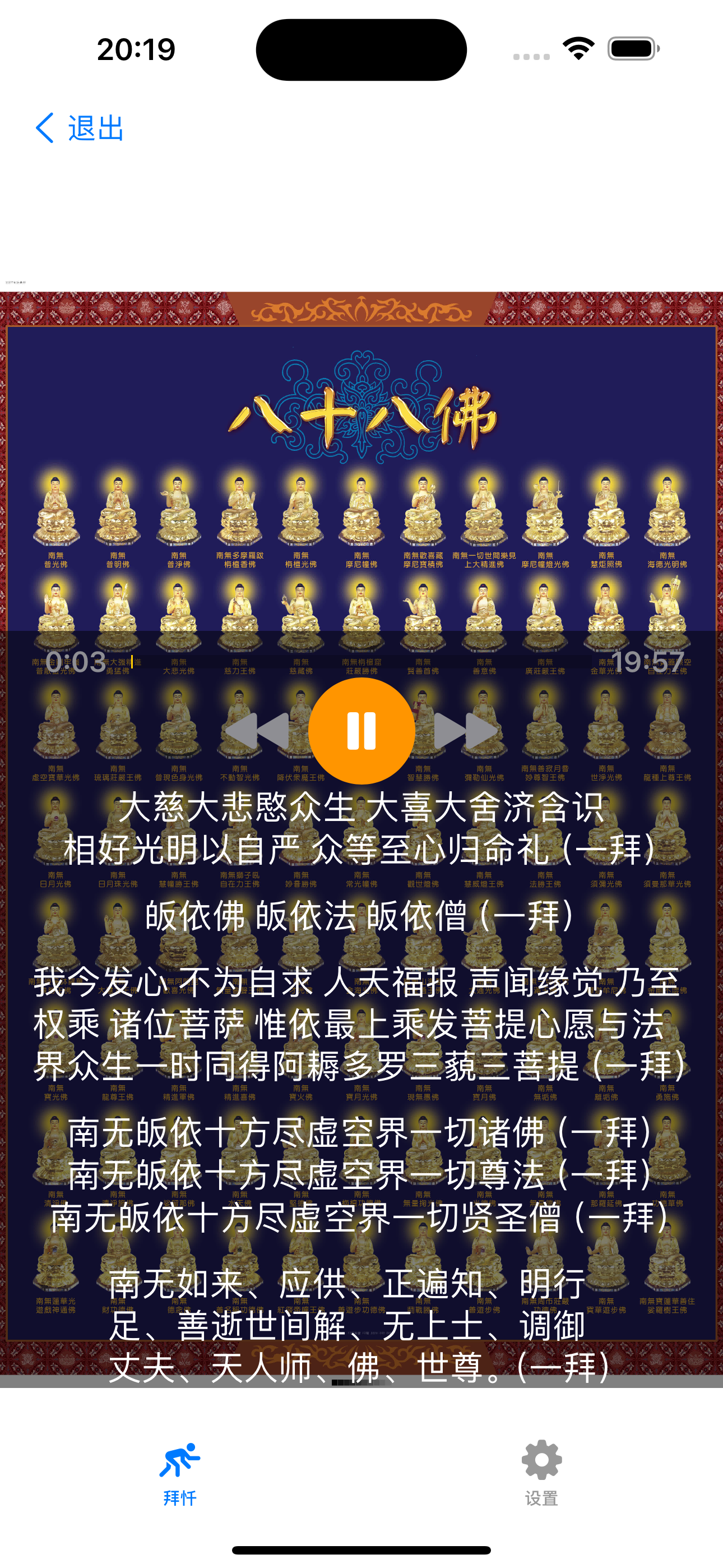
提供拜忏音频播放,帮助你更好地进行拜忏
Repentance Audio Playback
Provide repentance audio playback to help you better perform repentance
文字显示查看
提供文字显示查看功能,方便你跟随拜忏
Text Display
Provide text display function for easy following during repentance
自动滚动文字
音频播放时自动滚动到对应文字
Auto-scrolling Text
Text automatically scrolls to corresponding content during audio playback
多设备支持
支持各种iPhone和iPad设备
Multi-device Support
Supports various iPhone and iPad devices
免费使用
完全免费,无内购
Free to Use
Completely free, no in-app purchases
帮助与常见问题
Help & FAQ
拜忏助手介绍
拜忏助手 - 每日三省吾身
拜忏助手是一款专为佛友设计的拜忏工具,帮助你进行日常的忏悔和修行。 它提供了拜八十八佛,地藏忏三种忏法,以及拜忏音频播放和文字显示查看功能, 让你的拜忏修行更加专注和有效。
版本:1.0.1
开发者:学辉 杨
适合人群
佛友、修行者、希望通过拜忏来净化心灵的人士
主要功能
- 多种忏法:提供拜八十八佛,地藏忏三种忏法(后续根据需要再继续补充)
- 拜忏音频播放:提供拜忏音频播放,帮助你更好地进行拜忏
- 文字显示查看:提供文字显示查看功能,方便你跟随拜忏
- 自动滚动文字:音频播放时自动滚动到对应文字
- 多设备支持:支持各种iPhone和iPad设备
- 免费使用:完全免费,无内购
常见问题
1、如何选择忏法?
在应用中,你可以选择拜八十八佛,地藏忏等忏法, 根据自己的修行需求进行选择。
2、如何使用音频播放功能?
选择忏法后,点击播放按钮即可开始拜忏音频播放, 应用会自动滚动到对应的文字内容。
3、如何联系开发者?
您可以通过邮件联系开发者:yangxuehui@outlook.com 或在技术支持网站留言获取帮助。
About BaiChan Assistant
BaiChan Assistant - Daily self-reflection and repentance
BaiChan Assistant is a repentance tool designed specifically for Buddhists to help you perform daily repentance and practice. It provides three repentance methods: 88 Buddhas Repentance and Ksitigarbha Repentance, as well as repentance audio playback and text display functions, making your repentance practice more focused and effective.
Version: 1.0.1
Developer: 学辉 杨
Who Is It For
Buddhists, practitioners, individuals who want to purify their minds through repentance
Main Features
- Multiple Repentance Methods: Provide three repentance methods: 88 Buddhas Repentance and Ksitigarbha Repentance (more will be added as needed)
- Repentance Audio Playback: Provide repentance audio playback to help you better perform repentance
- Text Display: Provide text display function for easy following during repentance
- Auto-scrolling Text: Text automatically scrolls to corresponding content during audio playback
- Multi-device Support: Supports various iPhone and iPad devices
- Free to Use: Completely free, no in-app purchases
FAQ
1. How to select repentance methods?
In the app, you can select repentance methods such as 88 Buddhas Repentance and Ksitigarbha Repentance, according to your practice needs.
2. How to use the audio playback function?
After selecting a repentance method, click the play button to start repentance audio playback, and the app will automatically scroll to the corresponding text content.
3. How to contact the developer?
You can contact the developer via email: yangxuehui@outlook.com or leave a message on the technical support website for help.